WhatsApp LERS Portal: Police & Government Data Request Guide
The WhatsApp law enforcement (LERS) portal: the direct link, who can register, and how police file preservation, records and emergency disclosure requests.
WhatsApp number and call investigations for law enforcement are handled through WhatsApp’s Law Enforcement Response System — commonly known as the LERS Portal. This is a step-by-step guide for authorised police and government officials, covering both preservation requests and data (records) requests.
- Portal: whatsapp.com/records/login (the WhatsApp LERS Portal)
- Who can use it: authorised law-enforcement and government officials, with an official government email
- Two request types: a preservation request (no legal notice needed, freezes data for 90 days) and a data/records request (needs valid legal process)
Can’t sign in to WhatsApp’s law-enforcement portal?
- The portal is at whatsapp.com/records/login and needs a government-issued email address. WhatsApp doesn’t publish verification times or password-reset steps.
- Emergencies: send from an official government email and put “EMERGENCY” in the subject line.
- whatsapp.com/contact is for app users, not police: it won’t help with portal access.
- WhatsApp publishes no portal support email. By post: WhatsApp LLC, Law Enforcement Response Team, 1 Meta Way, Menlo Park, California 94025, US (slower than the portal).
Before you start
- An official government email address (personal emails are rejected).
- The target’s WhatsApp phone number, with country code.
- For a data request: the legal process that authorises it (in India, the Bharatiya Nagarik Suraksha Sanhita, 2023), ideally as a signed, stamped notice.
1Access the LERS Portal
- Go to whatsapp.com/records/login — or search “WhatsApp LERS Portal”.
- Tick “I am an authorized law enforcement agent or government employee.”
- Enter your official government email ID.
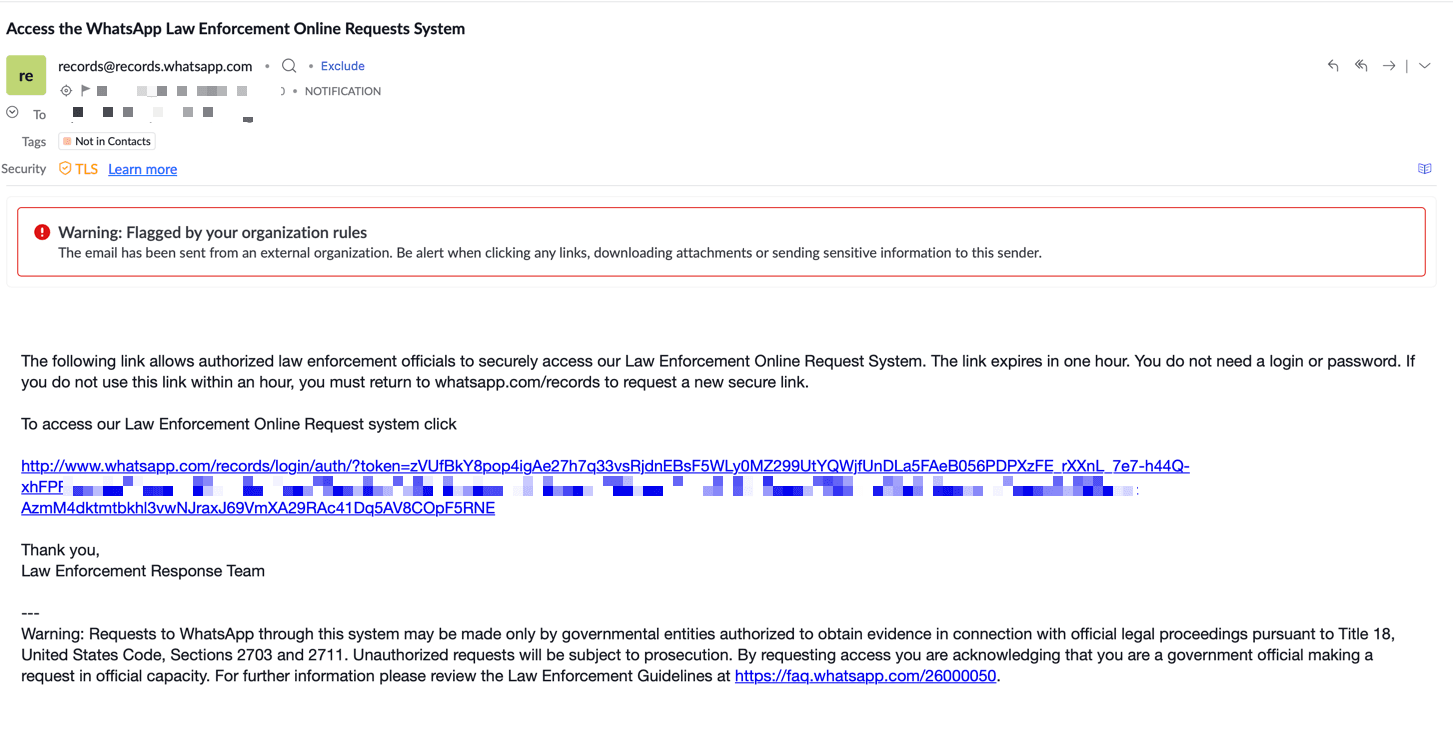
2Log in via the email link
A temporary login link is sent to your email. Check all folders — including spam and notifications — then click the message from [email protected].

3Submit a Preservation Request (no legal notice required)
A preservation request freezes the metadata and information tied to a WhatsApp account at a point in time. Use it when you don’t yet have legal authority in hand but need to stop the suspect’s data being altered or deleted.

Enter the WhatsApp account number to preserve and click submit. The data is preserved and a confirmation appears with a case number.
WhatsApp preserves account records in connection with official criminal investigations for 90 days pending receipt of formal legal process. (Full detail is in the WhatsApp Law Enforcement Guidelines.)
4Submit a Data (Records) Request
Click Records Request and complete the form:

- Select the time period and paste the phone number with country code.
- Under Legal Process, choose your country’s applicable law — for India, the Bharatiya Nagarik Suraksha Sanhita, 2023.
- In the documentation field, justify why you need the information — the clearer the justification, the faster the response.

Attach a signed and stamped data-request notice to speed things up. Finally, tick “I attest that I am a law enforcement agent or government employee authorized to request account records” and click submit.
What data will you get?
The most vital field is usually the last-seen IP address. Depending on your country’s laws, WhatsApp may provide more. Response time ranges from hours to days based on the strength of the legal framework — in India, the maximum is 72 hours under the IT Rules.
Frequently asked questions
What is the WhatsApp LERS Portal?
LERS stands for Law Enforcement Response System — WhatsApp’s official online portal (at whatsapp.com/records) where authorised police and government officials submit preservation and data requests.
Do I need a court order to preserve an account?
No. A preservation request needs no legal notice and freezes the data for 90 days. A data/records request, however, requires valid legal process.
Can I log in with a personal email?
No. The portal only accepts an official government / law-enforcement email address.
Is there an emergency option?
Yes. Where there is an imminent risk of death or serious physical injury, submit an Emergency Disclosure Request through the same records portal (whatsapp.com/records), invoking the emergency exception under 18 U.S.C. § 2702(b)(8). State the specific threat, who is at risk, and the deadline. Emergency requests are reviewed outside the standard queue, and only a sworn law-enforcement official using an official government email may submit one.
See also
- Overview: law-enforcement data-request portals across all platforms
- Facebook & Instagram: data request portal for police and government
- Telegram law-enforcement request: how to investigate Telegram
For the full directory of platform law-enforcement request portals, see our LERS portal hub.