Quishing: Why QR-Code Scams Are Exploding (and How to Spot One)
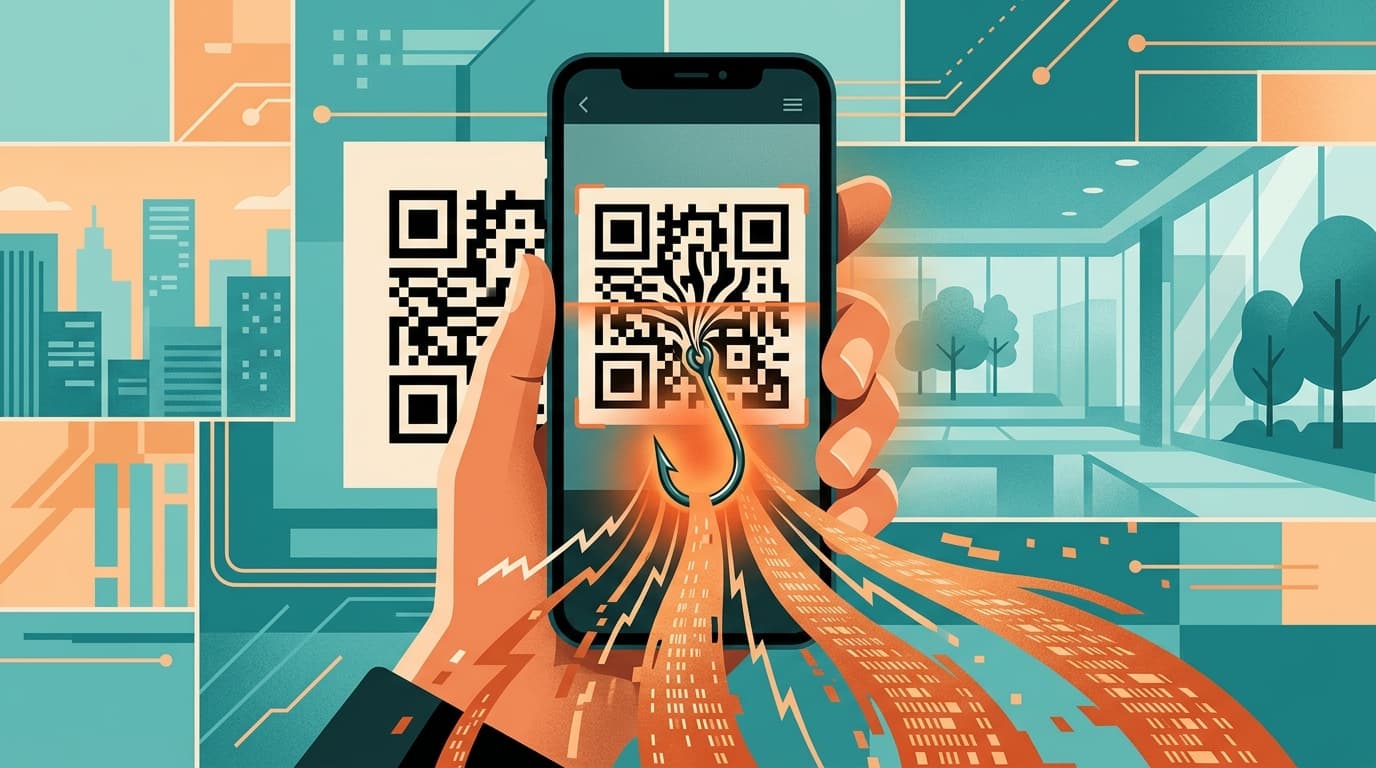
QR-code phishing is surging worldwide. How quishing works, the UPI receive-vs-pay trap, where you meet it, and how to spot, avoid and report it.
Scan a QR code to see the menu, pay for parking, or find out who sent a surprise package — the black-and-white square has become one of the most trusted shortcuts in modern life, and criminals have noticed. “Quishing” (QR-code phishing) hijacks that trust to push people onto fake payment pages and credential-harvesting sites, and reports are rising sharply across the United States, the United Kingdom, India and beyond. This explainer covers what quishing is, why a QR code slips past the defences that catch ordinary phishing, how an attack unfolds step by step, the “receive vs pay” trap used against UPI users in India, and exactly how to spot, avoid and report it.
What quishing is
Quishing — a blend of “QR” and “phishing” — is any scam that uses a QR code as the bait. Instead of a clickable link, the attacker hides the malicious web address inside a square barcode. When you point your phone’s camera at it, the code resolves to a URL and offers to open it — almost always a counterfeit login or payment page built to steal your credentials and card details, or a page that pushes you to install malware.
The concept is not new — it is ordinary phishing with the link disguised — but the delivery channel changes everything. A code can be printed on a sticker, slapped over a real one on a parking meter, emailed as an image, or texted alongside a believable story. The victim, not the attacker, performs the risky action of scanning.
Why QR codes are dangerous
Three weaknesses make quishing effective, and they reinforce one another.
It bypasses email security. Most email filters scan a message’s text for known-bad links. A QR code is an image, so the malicious URL is not present as readable text to flag. The UK’s National Cyber Security Centre (NCSC) notes that criminals use QR codes in phishing emails precisely because email security tools may not scan images containing them.
It shifts the action to your phone. Scanning almost always happens on a personal mobile device, which typically lacks the web-filtering and endpoint protection a work laptop carries. The small screen also truncates long URLs, making a fake domain harder to notice.
It exploits real-world trust. We are trained to scan codes on menus, posters and parking machines without a second thought. The NCSC observes that QR-code fraud “tends to happen in open spaces (like stations and car parks), and often involves an element of social engineering” — a reason to act quickly.
How a quishing attack works
Almost every quishing scam follows the same five steps.
- Lure. The attacker places a QR code where a target expects one — a sticker over a parking meter, an email about a “failed delivery,” a fake toll text, a tampered menu, or a parcel with a note saying “scan to see who sent this.”
- Scan. The victim points their phone at the code, which decodes to a web address. Because the URL is hidden until the moment of scanning, there is no link to inspect in advance.
- Redirect. The code opens a convincing clone of a bank, parking authority, courier or payment service, often on a look-alike domain with real logos.
- Harvest. The page asks for card numbers, login credentials, a one-time passcode or a small “release fee” — or prompts a malware-laden app install.
- Follow-up. In 2025, attackers began pairing the scan with polished messages — “complete verification” or “resolve an account issue” — to extract the passcode needed to drain an account.
The UPI twist in India
India’s Unified Payments Interface (UPI) added a uniquely effective variant: the “receive versus pay” confusion. On UPI, scanning a QR code or approving a “collect” request sends money — it never receives it. Fraudsters exploit this by claiming a victim must scan a code or approve a request to get money: a refund, cashback, prize, marketplace payment or delivery reimbursement. Believing they are about to be paid, the victim enters their UPI PIN — and the amount leaves their account instead.
The giveaway is simple: you never need to enter your UPI PIN, or scan anyone’s QR code, to receive money. A PIN authorises an outgoing payment, full stop. To curb the “collect request” version, the National Payments Corporation of India (NPCI) directed banks and apps to phase out pull (“collect”) requests for person-to-person (P2P) payments from 1 October 2025, pushing person-to-person transfers toward scan-and-pay “push” transactions. Merchant collect requests, used at checkout by large retailers, are unaffected. India is not alone, but the sheer volume of UPI transactions makes it a focal point for QR-payment fraud.
By the numbers
The trend is consistent across markets that publish data. In the UK, Action Fraud recorded 784 quishing reports with almost £3.5 million lost between April 2024 and April 2025, with monthly reports climbing into early 2025. In the US, a 2025 NordVPN survey found 73% of Americans scan QR codes without checking the destination, and that more than 26 million had already been sent to malicious sites. In India, the Reserve Bank of India’s FY25 annual report logged 13,516 digital-payment fraud cases involving about ₹520 crore — the largest fraud category by case count, and one in which QR-payment scams feature heavily.
Where you will meet it
Quishing has spread to almost any surface that holds a sticker or a screen:
- Parking meters and pay-and-display machines. The most-reported physical variant: scammers cover the genuine code with their own sticker. New York City’s transport department and several UK councils have warned drivers; Houston officials stressed that legitimate citations “will never have a QR code for payment.”
- Fake toll, traffic-violation and court notices. Texts and printed tickets demand payment for an unpaid toll or fine via a QR code, routing victims to a card-harvesting page.
- EV chargers. Tampered codes on charging stations send drivers to fake payment portals instead of the real network.
- Restaurant menus. A printed overlay on a table tent or window replaces the venue’s menu or payment code with the attacker’s.
- UPI and payment-request codes (India and beyond). “Scan to receive your refund” codes that actually authorise an outgoing payment, plus crypto-ATM codes that victims are coached to scan during fake support or romance calls.
- Unexpected packages. The FTC warned in January 2025 about parcels with a note urging recipients to scan a code to identify the sender; the FBI’s Internet Crime Complaint Center issued its own alert on unsolicited packages containing QR codes in July 2025.
- Crypto and “investment” QR codes. Fake trading or wallet sites, and scammers on support or romance calls, tell victims to scan a code to “fund,” “verify” or “receive” crypto. The scan sends funds straight to the attacker’s wallet.
- Hacked social accounts and fake ads. A compromised page or a paid ad posts a QR code for a “giveaway,” “refund” or limited offer that leads to a credential or payment trap.
- Fake QR-scanner apps. Some apps that promise to “scan safely” are themselves adware or data thieves. Your phone’s built-in camera is all you need.
How to spot and avoid it
- Preview the URL before opening. Most phone cameras show the destination address first — read it. Check the domain for misspellings and look-alike characters, and stop if it does not match the official site.
- Do not scan unsolicited codes. Treat a QR code in an unexpected email, text or parcel as you would a suspicious link. If a message about a delivery, fine or account is genuine, reach the organisation through its official app or a number you already have.
- Check for stickers over codes. On parking meters, chargers and posters, feel for a sticker laid on top of a printed code, and be wary of codes that look added rather than part of the original design.
- Remember the UPI rule. You never enter a PIN or scan a code to receive money; read the on-screen beneficiary and amount before approving.
- Use your phone’s built-in scanner, not a third-party app, and never install an app that a scanned page demands.
When in doubt, weigh the code against these tells:
| Red flag | Why it matters |
|---|---|
| A sticker sitting on top of a printed code | The most common tamper: the genuine code is underneath. Peel-test parking meters, chargers and posters. |
| The web address is subtly misspelled (one letter changed from the real site) | Look-alike domains are the whole trick. Read the full address before entering anything. |
| “Scan to receive a refund, payment or prize” | On UPI you never scan a code or enter a PIN to receive money. Scanning sends it. |
| The code arrived unsolicited (email, SMS or parcel) | Genuine refunds and deliveries do not hinge on a random QR code. Verify through the official app. |
| The page demands an app install or your OTP | A legitimate scanned page never needs you to install software or read out a one-time code. |
If you have been scammed
Speed matters more than anything. If you entered card or banking details or authorised a payment:
- Contact your bank or card issuer immediately to freeze the card or account and try to reverse or block the transfer. Many fraud teams operate 24/7.
- In India, call 1930 within the “golden hour.” Reporting quickly lets the helpline coordinate with both banks to freeze the destination account before the money is withdrawn.
- Change passwords and enable two-factor authentication on any account whose login you entered, from a clean device.
- Watch for follow-up contact. Scammers often call back posing as your bank’s “fraud department” to extract a one-time passcode — never read an OTP aloud to anyone.
- Keep evidence: screenshots, the URL and transaction references. See our cybercrime help hub for step-by-step guidance.
How to report
Report quishing even if you lost nothing — reports help authorities map and disrupt campaigns.
- United States: file with the FTC at reportfraud.ftc.gov and the FBI’s Internet Crime Complaint Center at ic3.gov.
- United Kingdom: report to Action Fraud at actionfraud.police.uk, forward suspicious texts to 7726 and scam emails to [email protected].
- India: call the helpline 1930 and file at cybercrime.gov.in, ideally within an hour of the transaction.
- Singapore: use the ScamShield app and report to the Police via the official anti-scam channels.
- Elsewhere: report to your national cybercrime or consumer-protection agency and to the brand being impersonated.
Frequently asked questions
Can simply scanning a QR code hack my phone?
Scanning alone usually just opens a web address; the danger is what you do next — entering details on a fake page, approving a payment or installing an app. Keep your phone updated and never install something a scanned page insists you need.
How is quishing different from phishing or smishing?
The goal is identical — stealing credentials or money — but the malicious link is hidden inside a QR image rather than a clickable link (phishing) or an SMS link (smishing). The image format is what helps it slip past email filters.
Are QR codes in restaurants safe to scan?
Usually yes — the NCSC considers codes in pubs and restaurants probably safe — but check the code is part of the original printing and not a sticker over it, and be cautious if it asks for a login or payment you did not expect.
Why is the UPI version so effective in India?
Because scanning a code or approving a “collect” request on UPI sends money rather than receiving it. Fraudsters reverse the story — “scan to get your refund” — and the victim authorises an outgoing payment. You never need a PIN to receive money.
I scanned a code but did not enter anything. Am I at risk?
If you only opened the page and entered no information, gave no payment approval and installed nothing, your risk is low. Close the page, do not return to it, and report the code if it was on a public machine or in an unsolicited message.
Related: Quishing is a cousin of phishing and smishing (scam texts) — the same playbook, a different delivery channel.
Sources
- FTC — “Scam alert: QR code on an unexpected package” (January 2025)
- FBI IC3 — “Unsolicited Packages Containing QR Codes Used to Initiate Fraud Schemes” (July 2025)
- UK NCSC — “QR codes — what’s the real risk?”
- Action Fraud (UK) — QR code (quishing) scam alert and figures
- Fox News — NordVPN 2025 survey on QR-code scanning habits
- CNBC — “‘Quishing’ scams dupe millions of Americans” (July 2025)
- BleepingComputer — traffic-violation scams switch to QR codes
- BusinessWorld — NPCI to end UPI P2P collect requests from October 2025
- Business Standard — steps after losing money to a QR-code scam (India)
- Business Standard — RBI Annual Report FY25 digital-payment fraud data