Prompt Spy, a New Android Malware Adapts to Your Device to Evade Detection and Gain Full Control
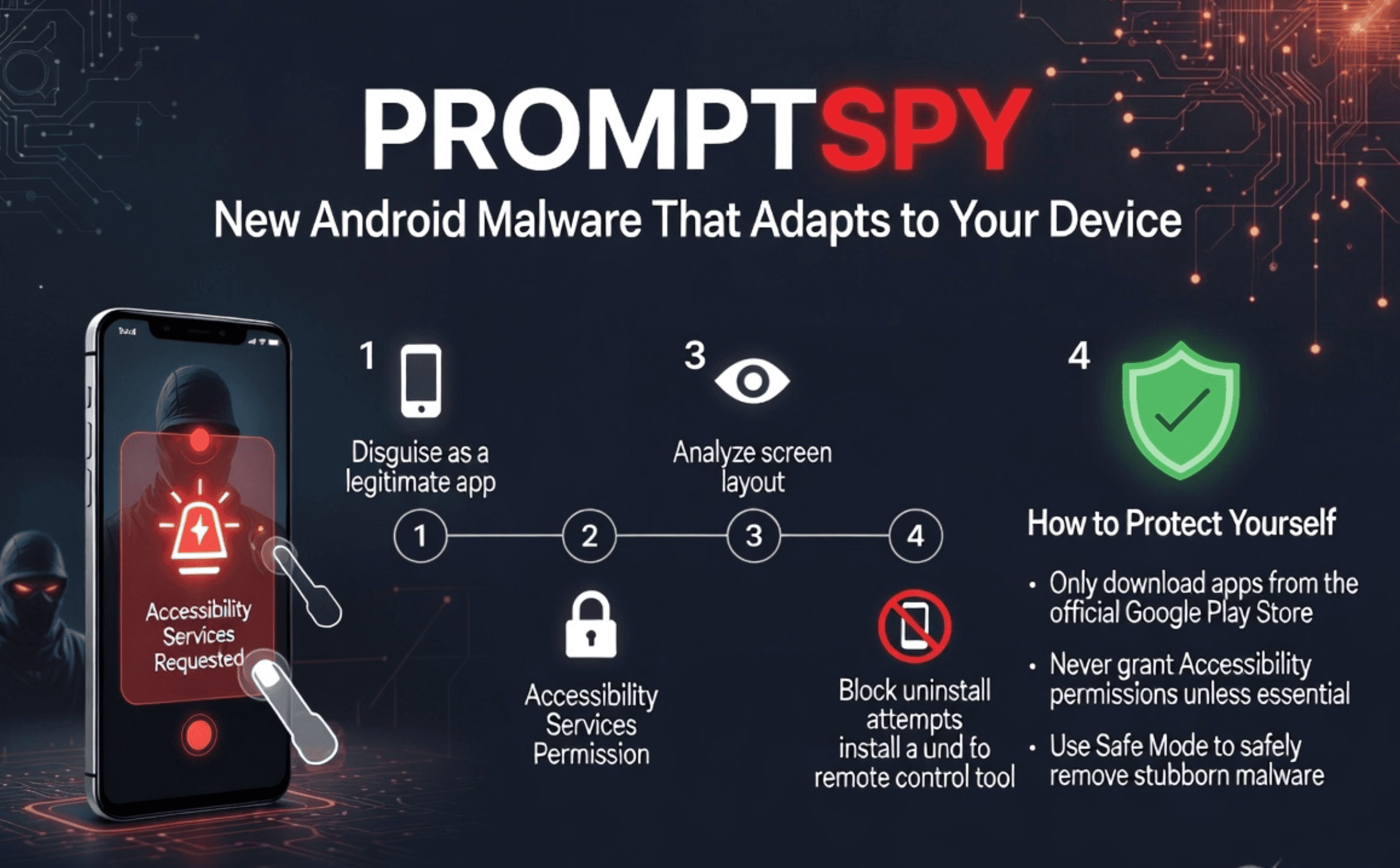
Security researchers have identified a new Android malware that represents a clear step up in mobile threats. According to ESET’s H1 2026 Threat Report, the malicious app called PromptSpy can examine what appears on a user’s screen and automatically adjust its actions to fit different phones, settings, and languages.
The cybersecurity landscape crossed a dangerous threshold in the first half of 2026.
For years, security researchers have warned that artificial intelligence would eventually be weaponized to create smarter, more resilient malware.
That theoretical threat is now a reality.
How PromptSpy Takes Control
PromptSpy typically disguises itself as a legitimate app, such as a banking tool or a fake system update.
Once installed, it immediately asks for Accessibility Services permission, a powerful Android feature meant to help people with disabilities that also gives an app wide control over the screen and interface.
The malware then follows this process:
- It captures a detailed description of the current screen, including every button, text field, and layout element.
- It sends this information to a remote system controlled by the attackers.
- The system analyses the screen and sends back exact instructions on what to do next, for example, which button to tap or which menu to open.
- The malware carries out the action, takes a fresh view of the updated screen, and repeats the process.
This back-and-forth continues until the malware completes its task.
Because it does not rely on fixed screen positions, it works across different phone models, Android versions, and custom interfaces used by manufacturers.
What the Malware Does Once Installed
PromptSpy’s first priority is to stay on the device.
It uses its screen control to pin itself in the recent apps list and places invisible overlays that block attempts to reach the uninstall screen.
Once it has secured its position, it installs a remote access module.
This gives the attackers the ability to:
- View the screen in real time
- Record activity and capture PINs or passwords
- Steal data from banking apps and cryptocurrency wallets
- Bypass extra security checks such as multi-factor prompts
Growing Sophistication in Mobile Threats
PromptSpy is part of a wider trend.
ESET researchers have observed more malware designed to carry out complex, automated actions on phones rather than following simple fixed scripts.
There has also been an increase in deceptive websites and messages that impersonate well-known technology companies and offer fake troubleshooting help.
These tricks are used to trick users into installing harmful apps.
The key development is that attackers can now create malware that reacts to what it sees on the device and changes its behaviour accordingly.
How to Protect Your Android Device
Google’s existing security tools can detect known versions of PromptSpy.
However, because the malware adapts its actions, older signature-based detection struggles to keep up.
Google is preparing stronger protections in Android 17 that will monitor for suspicious behaviour, such as apps trying to hide themselves or misuse accessibility tools.
Until these features are widely available, users can reduce the risk by following simple steps:
- Only grant Accessibility Services permission to apps you fully trust and that are specifically designed for accessibility needs. Treat any other request as suspicious.
- Download apps exclusively from the official Google Play Store. Avoid third-party websites and links that claim to be updates or fixes.
- If an app blocks normal uninstallation, restart your phone in Safe Mode. This disables third-party apps and lets you remove the malware safely. (The exact method varies by phone model, search your device maker’s support site for “boot into safe mode”.)
Mobile malware is becoming more flexible and harder to stop.
PromptSpy shows that the next generation of threats will adjust to each device and actively work to avoid being removed.
Staying cautious with permissions and app sources remains the most effective defence.