A practical, lawful OSINT toolkit for cyber-police: a tool matrix, a defensible evidence workflow, and the legal, ethical and OPSEC boundaries that keep cases safe.
Read this first: this is a guide to lawful, passive open-source intelligence (OSINT) — not a hacking guide. It is written for investigators, analysts and cyber-police officers who need to find and preserve publicly available information during an authorised inquiry. Everything below is about reading what is already public, documenting it properly and corroborating it. Nothing here involves unauthorised access, account compromise, password cracking, social-engineering a target into handing over credentials, or any technique that exceeds the authority your warrant, production order or agency policy grants you. If a step would require you to log into someone else's account, defeat a security control, or impersonate a victim, stop: that is no longer OSINT, and it can taint your case and expose you personally.
The Ministry of Cyber Affairs is an independent cyber-safety publisher. This guide is educational; it is not legal advice and not an official government instruction.
- Passive by default. Read public records; never touch the target's accounts or systems.
- Authority before collection. Fix your legal basis and scope first, not after.
- Preserve to survive court. Hash, timestamp and screenshot every artefact.
- Corroborate. One source is a lead, not a fact.
- The tool is neutral. Lawful or unlawful is decided by your authority and your actions, not the software.

Three principles before you open a single tool
Good OSINT is a discipline, not a toolset. Three ideas should govern everything below.
- Passivity. Prefer techniques that read public records and never touch the target's infrastructure. Querying a certificate-transparency log is passive; logging into a suspect's webmail is not.
- Provenance. An artefact you cannot prove you collected lawfully, on a known date, in an unaltered state, may be worthless as evidence.
- Proportionality and authority. Collect only what your legal basis permits, and stop when you reach its edge. The same tool can be used lawfully or unlawfully; the difference is almost always the authority behind the keyboard and how you handle the result.
The tool matrix, organised by investigative need
This table groups tools by what you are actually trying to learn. Treat every named tool as a starting point to verify against your jurisdiction's rules. Availability, free tiers and terms of service change. Tools with paid tiers still offer lawful free use within published limits.
| Investigative need | What it finds | Example tool(s) |
|---|---|---|
| Email & breach exposure | Whether an email or phone number appears in known public data breaches, helping link aliases and gauge a subject's exposure. | Have I Been Pwned |
| Username footprint | Where a single username has been reused across hundreds of public sites, surfacing a subject's wider online presence. | Sherlock (400+ sites); WhatsMyName (700+ platforms) |
| Domain registration & DNS | Who registered a domain and when, plus name-server and DNS history, via authoritative WHOIS/RDAP records. | ICANN Lookup (WHOIS/RDAP) |
| Certificates & sibling domains | Subdomains and related hosts that share a TLS certificate, often revealing infrastructure a suspect tried to keep separate. | crt.sh (certificate transparency) |
| Exposed services & devices | Internet-facing services, open ports and banners associated with an IP or organisation, viewed passively. | Shodan |
| File, URL & IP reputation | Reputation and relationships for a file hash, URL or address; and a safe, sandboxed render of a suspicious link without visiting it yourself. | VirusTotal; urlscan.io |
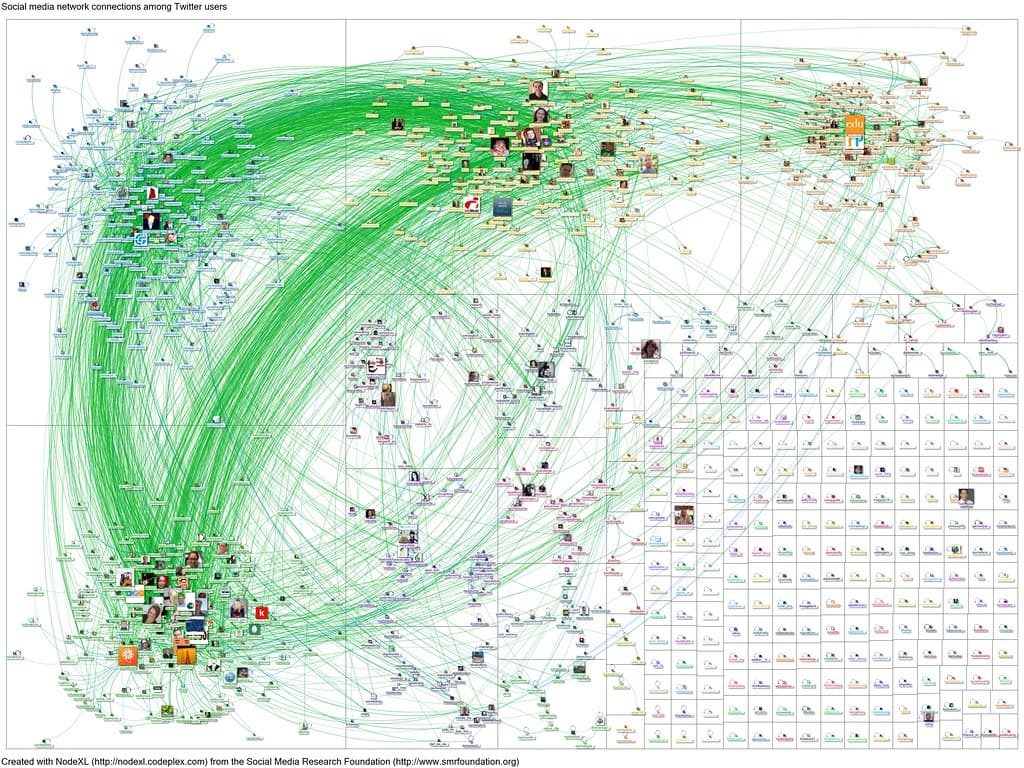
| Public profiles & link analysis | Lawful review of public profiles and posts, and a single graph linking collected entities (handles, domains, addresses) to spot relationships. | Manual review within platform terms; Maltego (Graph Community Edition, under the free Basic plan; requires a Maltego ID) |
| Images & metadata | Where else an image appears online (reuse, fakes or origin) and what camera, software and GPS metadata an original file carries. | TinEye, Google and Yandex reverse image search; ExifTool (metadata) |
| Archived & deleted content | What a page, profile or listing said before it was edited or deleted, essential when a suspect scrubs content after sensing scrutiny. | Wayback Machine (Internet Archive) |
| Where to start & method | A categorised directory of tools, and a reputable methodology reference for verification-led investigation. | OSINT Framework; Bellingcat's Online Investigation Toolkit |
A defensible workflow
A finding is only as good as the process that produced it. Follow a repeatable sequence so a defence lawyer cannot credibly argue your evidence was fabricated, contaminated or unlawfully obtained.
- Define the objective and confirm your legal authority. Before you start, write down exactly what question you are answering and the legal basis that lets you answer it: the offence under investigation, the warrant or production order, and the limits of your agency's OSINT policy. If a line of inquiry would exceed that authority, escalate for the right legal instrument instead of working around it.
- Collect passively, least intrusive first. Begin with techniques that never touch the target: archives, certificate logs, WHOIS/RDAP, reverse image search. Only move to anything more interactive if it remains lawful, in scope and authorised. Never log into, friend, message or probe a target's accounts or systems.
- Preserve every artefact with hashes, timestamps and screenshots. Save the original file or page capture, record an accurate capture time with its time zone, and generate a cryptographic hash (for example SHA-256) of each item so you can later prove it has not changed. A full-page capture plus the saved source and the exact URL beats a cropped phone photo every time.
- Corroborate before you rely on it. Treat a single source as a lead, not a fact. Confirm an identity, location or link through at least one independent source. A reused photo or a recycled username is not proof of the same person.
- Document the chain and your methodology. Keep a contemporaneous log: what you searched, which tool and version, when, the result, and where it is stored. This chain-of-custody and method record is what makes your work reproducible and admissible, and it protects you if the collection is later challenged.
Legal and ethical boundaries
- Authority first. "Publicly available" does not override the law. Computer-misuse, data-protection, surveillance and privacy statutes still apply and differ by jurisdiction.
- No unauthorised access. Logging into an account you are not entitled to use, or circumventing any access control, can be an offence regardless of how the data was exposed.
- Go through the front door for private data. When the data sits behind a platform's walls, the correct route is a lawful request — preservation request, emergency disclosure or court order — not a technical workaround.
- Respect terms and minimise. Automated scraping, fake accounts and mass collection may breach platform terms and data-protection law. Collect the minimum necessary, store it securely, and dispose of it per your retention rules.
- Record your restraint. Document what you did not do (for example, that you viewed only public posts and never attempted to access a private account). That negative record is often as valuable as the evidence.
This is the section that keeps cases — and careers — intact. OSINT lives entirely on the lawful side of a bright line, and you are responsible for staying there. Where individual judgement runs out, fall back on documented agency policy and, where required, judicial authorisation rather than improvisation.
Investigator OPSEC: do not tip off the target
Passive does not mean invisible. Some interactions leave traces, and a careless one can burn an operation or endanger you.
- Assume you can be seen. Visiting a phishing page can fire the attacker's analytics; a profile view can notify the account holder; a research account carrying your real name or your agency's network fingerprint can expose the inquiry.
- Use authorised research accounts. Work from dedicated, policy-approved accounts and a clean environment attributable only to the unit, never your personal or named identity.
- Detonate safely. Inspect suspicious URLs in a sandboxed service such as urlscan.io rather than your own browser. Prefer searching existing scans first: submitting a new scan makes urlscan's servers visit the target, which the site operator can see. Assume anything you click on attacker-controlled infrastructure may be logged by the adversary.
- Strip your own metadata. Be aware that files and requests you send out can carry identifying information too.
Geolocation and chronolocation basics
When an image or video is your only lead, two disciplines turn pixels into place and time, using nothing but public reference data.
- Geolocation establishes where a photo was taken by matching visible features — signage, languages, road markings, architecture, vegetation, mountains or skylines — against public maps and street-level imagery. Cross-check against satellite views before you commit.
- Chronolocation establishes when, using shadow direction and length, the position of the sun, weather records, foliage, or time-stamped events visible in the frame.
- Metadata is a bonus, not a crutch. An original file may carry GPS and timestamps readable with ExifTool, but most social platforms strip it on upload, and any metadata can be forged. Always corroborate with features visible in the image itself.
Frequently asked questions
Is OSINT legal for police to use? Collecting genuinely public information is generally lawful, but it is governed by your jurisdiction's computer-misuse, data-protection and surveillance laws and by your agency's policy. Legality turns on your authority, your purpose, how you collect, and how you handle the data, not simply on whether the information was reachable. When in doubt, get the appropriate legal instrument first.
Does using these tools count as hacking? No, when used as intended. Querying public breach indexes, certificate logs, WHOIS/RDAP, archives and reverse image search reads data that is already public. It becomes unlawful the moment you use any tool to gain unauthorised access, bypass a security control, or compromise an account. The tool is neutral; the authority and the action decide.
What is the difference between passive and active OSINT? Passive collection reads public records without interacting with the target (an archive, a certificate log, a WHOIS record). Active collection interacts in some way, even lightly, and is far more likely to leave a trace, breach a platform's terms, or stray beyond your authority. Default to passive, and only go active when it is lawful, in scope and authorised.
Can OSINT findings be used as court evidence? They can, provided you can prove provenance: when and how you collected each artefact, that it is unaltered (hashes help), and that the collection was lawful and authorised. Poor documentation, not the source, is what usually gets OSINT excluded. Treat preservation and chain of custody as part of the investigation, not an afterthought.
This guide is part of our Guides for Investigators & Police reference series, covering Foundations, Mobile, Web & Social, Crypto, Cloud and AI.